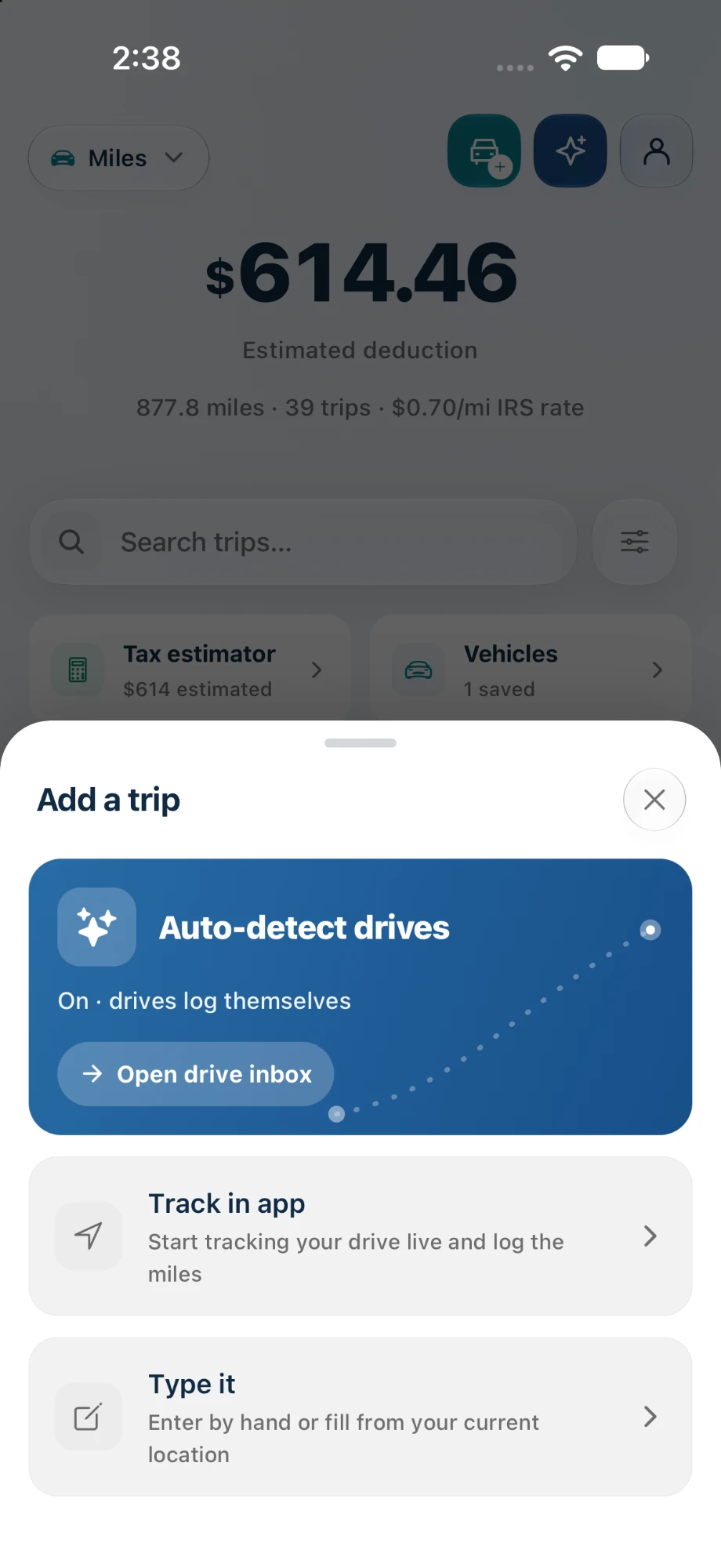
Your drives log themselves.
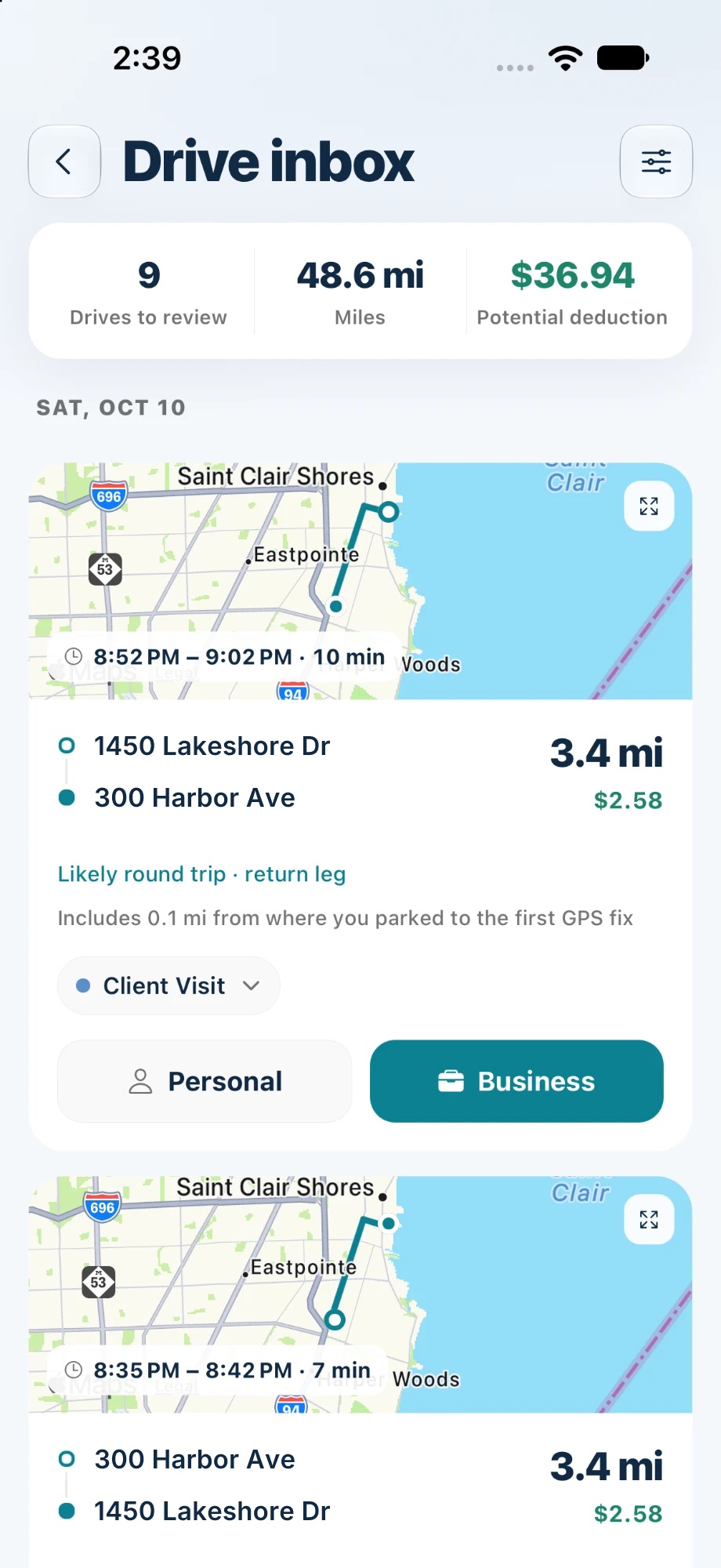
Turn on auto-detect and spentr records drives in the background, without you opening the app. Each one lands in your Drive inbox with its route, miles, and deduction. Mark it Business or Personal and you’re done.
Available on Pro and up
How it works
Turn on auto-detect
spentr notices when you start driving and records the trip in the background.
Review your inbox
Each drive shows its route, time, miles, and deduction. Round trips are recognised for you.
Business or Personal
One tap files the drive, and business miles are valued at the IRS standard mileage rate.
What’s included
Auto-detect drives Pro
Drives are found and recorded without starting a trip. Available on iPhone.
Track a drive live Free
Prefer control? Start a trip yourself and follow distance and dollars on your Lock Screen. Free includes 3 GPS trips a month.
Type it in Free
Add a trip by hand, or fill in your current location, on every plan.
Parking-lot miles Pro
The short walk-to-car stretch before GPS locks on is added to the trip, so short drives aren’t undercounted.
Vehicles and categories Free
Assign each trip to a vehicle and a purpose, like Client Visit, for a log your preparer can use.
Tax estimator Free
See your mileage deduction for the year as you go.
Plan tags show the lowest plan that includes each item. Compare plans.
Frequently asked questions
Do I have to open the app to record a drive?
No. With auto-detect on, drives are recorded in the background and wait for you in the Drive inbox.
What does the IRS need in a mileage log?
The date, destination, business purpose, and miles for each trip. Our mileage log guide covers the details.
Is it on Android?
Not yet. Android is coming soon; you can add trips by hand on the web in the meantime.
Try it on your own receipts.
Free to start, with 10 AI scans a month. No card required.